
Shop By Ubiquiti Networks Categories


About Ubiquiti Networks
Ubiquiti Networks develops professional networking, wireless communication, and physical security solutions for businesses, internet service providers (ISPs), wireless ISPs (WISPs), enterprises, educational institutions, and commercial environments. Its product portfolio includes the UniFi platform for centralized network management, UISP for service provider infrastructure, airMAX and airFiber wireless backhaul solutions, Wave technology, switching, routing, Wi-Fi access points, IP cameras, access control, VoIP systems, and fiber connectivity products. By combining hardware and software into unified management platforms, Ubiquiti helps organizations deploy scalable and efficient networks across a wide range of applications.
Ubiquiti solutions are widely used for enterprise Wi-Fi, campus networking, surveillance, broadband expansion, point-to-point (PTP) and point-to-multipoint (PTMP) wireless links, fiber deployments, and remote site connectivity. Their centralized management capabilities simplify network monitoring, device provisioning, and ongoing maintenance, making them suitable for both small business installations and large-scale multi-site deployments.
ISP Supplies offers a comprehensive selection of Ubiquiti networking products, including UniFi, UISP, airMAX, airFiber, Wave, switching, routing, surveillance, and fiber infrastructure solutions, helping customers build reliable, high-performance network environments with products designed for professional deployments.
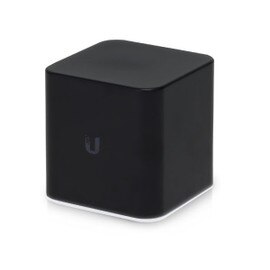
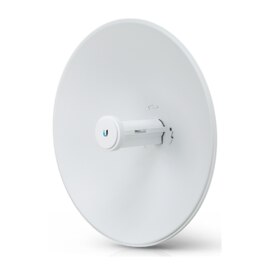
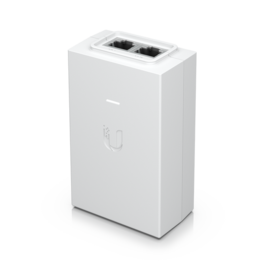
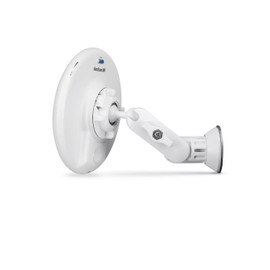
Latest Ubiquiti Networks Products




Frequently Asked Questions
What is Ubiquiti Networks?
Ubiquiti Networks is a global networking technology company that develops enterprise-grade networking, wireless connectivity, security, and surveillance solutions for businesses, Internet Service Providers (ISPs), educational institutions, and residential users. Its product portfolio includes UniFi networking equipment, UISP broadband solutions, security cameras, access control systems, and switching infrastructure designed to deliver reliable performance, simplified management, and scalable network deployments.
What is UniFi?
UniFi is Ubiquiti's integrated networking platform that combines wireless access points, gateways, switches, surveillance cameras, access control devices, VoIP phones, and cloud management into a single ecosystem. Managed through the UniFi Network application, it provides centralized configuration, monitoring, firmware updates, and analytics, making network administration more efficient for organizations of all sizes.
Is ISP Supplies an authorized Ubiquiti reseller?
Yes. ISP Supplies is an authorized Ubiquiti reseller offering genuine UniFi and UISP products, including wireless access points, switches, gateways, security cameras, antennas, accessories, and networking hardware. Customers benefit from authentic products, competitive pricing, expert technical support, and fast shipping for both commercial and service provider deployments.
What is UniFi Network and how do I manage UniFi devices?
UniFi Network is Ubiquiti's centralized network management software that allows administrators to configure, monitor, secure, and maintain compatible UniFi devices from a single interface. Devices can be managed through a UniFi Cloud Gateway, UniFi Network Server, the UniFi Cloud Portal, or the UniFi mobile application, providing remote visibility and simplified network management.
What is PoE?
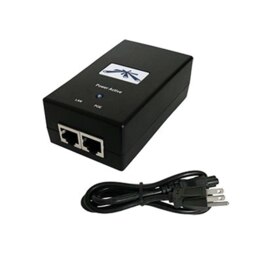
Power over Ethernet (PoE) is a networking technology that delivers electrical power and data through a single Ethernet cable. Many Ubiquiti devices, including UniFi access points, IP cameras, bridges, and VoIP phones, support PoE, reducing installation costs, minimizing cable clutter, and simplifying deployments where electrical outlets are not readily available.
What makes Ubiquiti different from other networking brands?
Ubiquiti differentiates itself by combining enterprise-class networking performance with an integrated software ecosystem and cost-effective hardware. The UniFi platform enables organizations to manage networking, Wi-Fi, surveillance, and access control from a single interface while delivering scalability, advanced features, and lower total cost of ownership compared to many traditional enterprise networking solutions.
Which Ubiquiti products are best for small businesses?
Small businesses typically benefit from a UniFi Cloud Gateway, UniFi PoE Switch, and UniFi WiFi 6 or WiFi 7 Access Points for secure, high-performance networking. Businesses requiring video surveillance can also integrate UniFi Protect cameras and Network Video Recorders (NVRs), creating a unified infrastructure that is easy to manage and expand as business needs grow.
Is Ubiquiti suitable for enterprise deployments?
Yes. Ubiquiti solutions are widely deployed across enterprise offices, schools, healthcare facilities, hospitality venues, warehouses, retail environments, and multi-site organizations. With advanced routing, VLAN support, high-density wireless networking, centralized management, and scalable architecture, UniFi is well suited for both medium-sized businesses and enterprise environments.
How do I choose the right UniFi access point?
Choosing the right UniFi access point depends on several factors, including building size, indoor or outdoor installation, client density, wireless performance requirements, and supported Wi-Fi standards. Smaller offices often require compact indoor access points, while high-density environments, large campuses, and outdoor deployments benefit from higher-performance WiFi 6 or WiFi 7 models with extended coverage and increased client capacity.
Which UniFi gateway is right for my network?
The best UniFi gateway depends on your internet bandwidth, number of connected users, security requirements, VPN usage, and future expansion plans. Smaller networks may require an entry-level Cloud Gateway, while larger organizations benefit from higher-performance gateways that support advanced firewall protection, intrusion detection and prevention (IDS/IPS), multi-WAN connectivity, and higher throughput.
Which UniFi products work together?
The UniFi ecosystem is designed for seamless interoperability. UniFi gateways, switches, wireless access points, security cameras, access control devices, VoIP phones, network video recorders, and management software all work together under a single management platform, allowing administrators to configure and monitor the entire network from one centralized dashboard.
Can I expand my UniFi network as my business grows?
Yes. Scalability is one of the core advantages of the UniFi platform. Additional access points, switches, gateways, surveillance cameras, storage devices, and other UniFi products can be integrated into an existing deployment without replacing current infrastructure. This allows businesses to expand network capacity while maintaining centralized management and consistent performance.
Can Ubiquiti products be used in residential and commercial settings?
Absolutely. Ubiquiti offers networking solutions for homes, apartments, offices, retail stores, warehouses, hospitality venues, educational campuses, government facilities, and Internet Service Providers. Whether deploying a residential Wi-Fi network or a large enterprise infrastructure, Ubiquiti provides solutions that scale to meet changing connectivity requirements.
How do I set up a UniFi network?
Setting up a UniFi network typically begins by installing a UniFi Gateway, connecting compatible UniFi switches and access points, and launching the UniFi Network application. The setup wizard guides administrators through device adoption, network configuration, wireless settings, security policies, firmware updates, and ongoing monitoring. Once configured, the network can be managed locally or remotely through the UniFi Cloud Portal.
Can I use third-party devices with a UniFi network?
Yes. UniFi networks support industry-standard networking protocols, allowing third-party routers, switches, servers, IP phones, printers, storage devices, and other Ethernet-enabled hardware to operate alongside UniFi equipment. However, centralized monitoring, configuration, firmware management, and advanced analytics are available only for compatible UniFi devices managed through the UniFi Network platform..